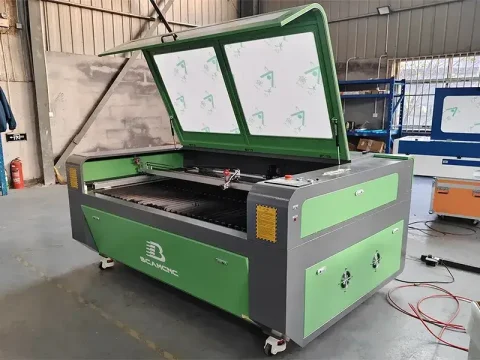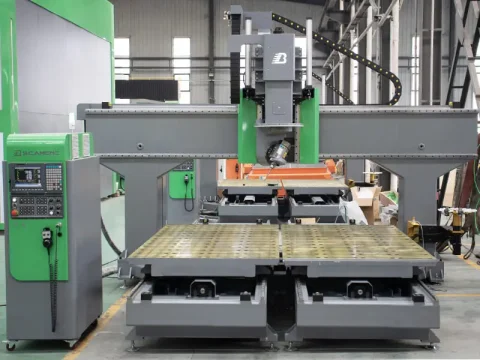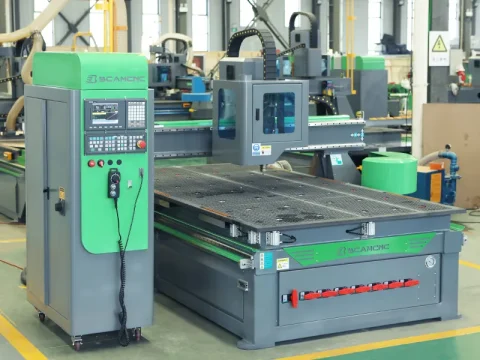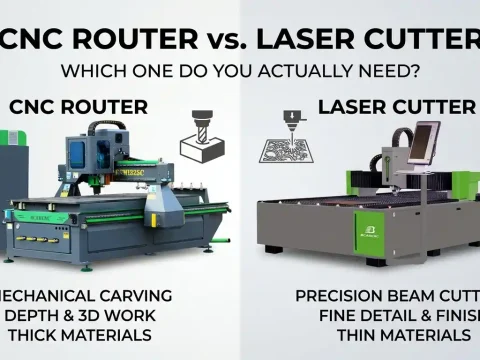

There is no “perfect” laser engraver for every material. The right machine is a balance of wavelength, power control, and motion stability—matched to how materials actually react to the laser, not how they’re marketed.
Why Material–Laser Matching Matters More Than Specifications
In real workshops, problems rarely come from “not enough power.”
They come from using the wrong laser type for the material.
Different materials absorb laser energy differently:
- Organic materials like wood and leather respond well to CO₂ lasers (10.6μm)
- Acrylic requires controlled heat input, not brute force
- Metals often reflect standard lasers, requiring fiber systems or surface treatment
This is why “all-in-one” claims tend to fall apart in practice. A machine that does everything usually compromises somewhere you can’t afford.
Understanding the Technology vs. Material Fit
1. Wood and Acrylic: Where CO₂ Lasers Actually Shine
For most signage shops, craft businesses, and custom product studios, wood and acrylic are daily materials. This is where CO₂ systems dominate.
- Wood
- Different densities require different speeds and power levels
- Proper air assist is critical to prevent charring and residue buildup
- Results depend more on consistency than raw power
- Acrylic
- CO₂ lasers create a clean, flame-polished edge on cast acrylic
- Excess power leads to melting, not engraving
Practical detail that gets ignored too often:
- Cast acrylic → frosted white engraving
- Extruded acrylic → stays clear, less contrast
That single distinction saves a lot of trial-and-error in production.
2. Leather: Control Beats Power
Leather engraving is less about cutting and more about thermal control.
Whether working with vegetable-tanned or synthetic leather:
- Use higher speed + lower frequency
- Avoid prolonged heat exposure that burns surrounding fibers
- A honeycomb worktable helps reduce backside scorching by improving airflow
In small-batch customization businesses, this difference is the line between a premium product and something that looks damaged.
3. Metal: Where Most Setups Hit a Wall
This is where expectations usually collide with physics.
- Bare metals (stainless steel, aluminum, etc.)
- Reflect CO₂ and low-power diode lasers
- Require a fiber laser for true engraving
- Workaround for mixed-material shops
- Use marking compounds (such as Cermark)
- The laser bonds the coating to the surface instead of engraving into it
This approach is widely used in workshops that need flexibility without investing in multiple dedicated systems.
What Actually Determines Engraving Quality
Ignore the marketing obsession with wattage for a moment. In real production, these matter more:
Motion Stability
Linear rails outperform wheel-based systems in maintaining precision at speed.
Less vibration means cleaner edges and repeatable detail.
Power Control (Not Just Power Output)
Support for PWM (Pulse Width Modulation) allows better grayscale engraving, especially on leather and coated surfaces.
Cooling and Ventilation
Acrylic melting, leather burning, and residue buildup are often ventilation problems, not laser problems.
Repeatability
The ability to return to origin within tight tolerances is critical in batch work. Precision matters more over time than peak speed.
Real-World Workflow Considerations
In a typical mixed-material workshop:
- Wood signage requires consistency across batches
- Acrylic display pieces demand clean edges without post-processing
- Leather goods need fine detail without burn marks
- Occasional metal marking adds complexity
This is why experienced operators rely on process control, not just machine specs.
Before starting any job, running a power and speed matrix test on scrap material is standard practice. Even within the same category, materials behave differently:
- Pine vs. walnut
- Cast vs. extruded acrylic
- Natural vs. coated leather
Skipping this step is how mistakes become expensive.
Avoiding the “More Power Is Better” Trap
Higher wattage helps with thick material cutting, but it can easily:
- Burn leather edges
- Cause acrylic “bleeding”
- Reduce engraving detail
In practice, controlled energy delivery is far more valuable than maximum output.
A Practical Approach to Machine Selection
Instead of asking “What’s the best machine?”, a better question is:
- What materials do you process most often?
- What level of detail do you actually need?
- Are you doing prototypes, customization, or batch production?
For many workshops, a stable CO₂ system combined with proper process control covers the majority of daily work. Fiber systems come into play when metal processing becomes a core requirement rather than an occasional task.
Manufacturers like BCAMCNC tend to focus on this balance—prioritizing stability, usable precision, and consistent output across materials instead of overextending capabilities on paper.
Final Thought
Laser engraving is not about finding a machine that does everything.
It’s about understanding how materials behave and choosing equipment that responds predictably.
When the physics is respected, the results scale.
When it’s ignored, no amount of specifications will fix the outcome.