
CNC Router
9 products
ATC CNC Router Machine
9 products
5 Axis CNC Router Machine
9 products
Stone CNC Machine
2 products
Edge Banding Machine
5 products
Cutting Saw
3 products
8:30 AM - 6:00 PM
From standard 3-axis machines to advanced 5-axis routers, our CNC routers handle wood, MDF, aluminum, plastics, and composites with high accuracy. Available in various table sizes and fully customizable to fit your workshop needs, they are ideal for furniture, cabinetry, mold making, and complex engraving. Explore our range and find the perfect router for your production!
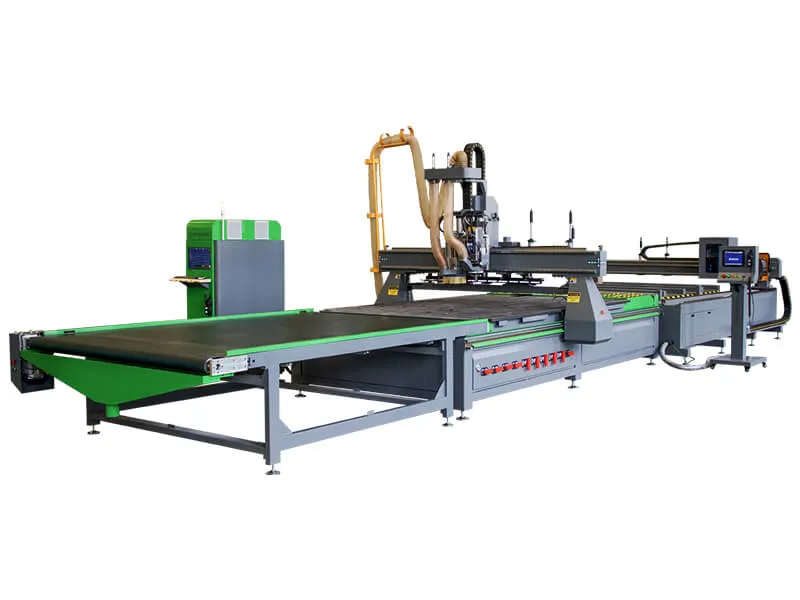
$18,000.00 Original price was: $18,000.00.$14,560.00Current price is: $14,560.00.
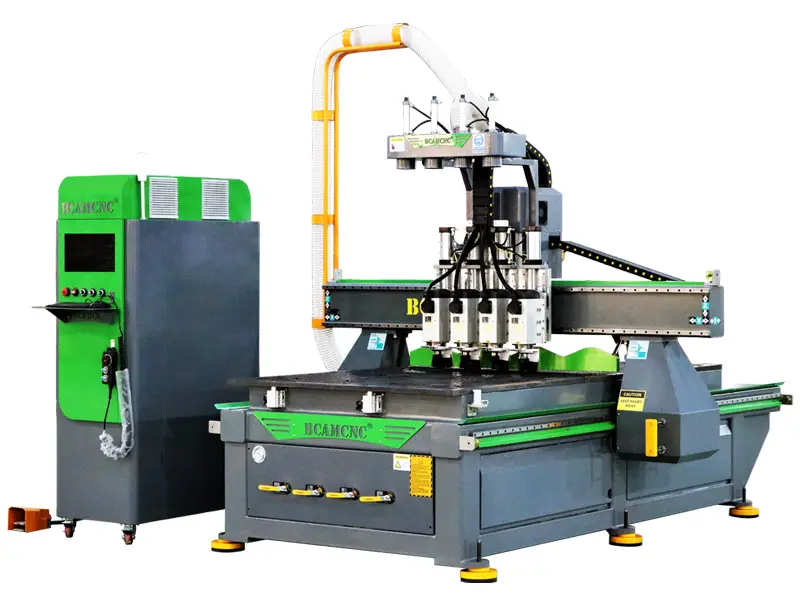
$7,980.00 Original price was: $7,980.00.$7,456.80Current price is: $7,456.80.
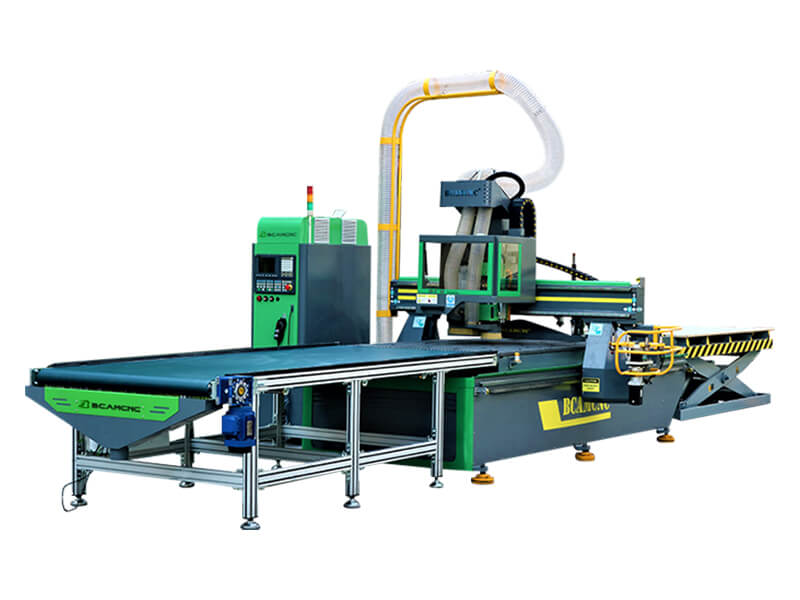
$29,000.00 Original price was: $29,000.00.$26,310.00Current price is: $26,310.00.
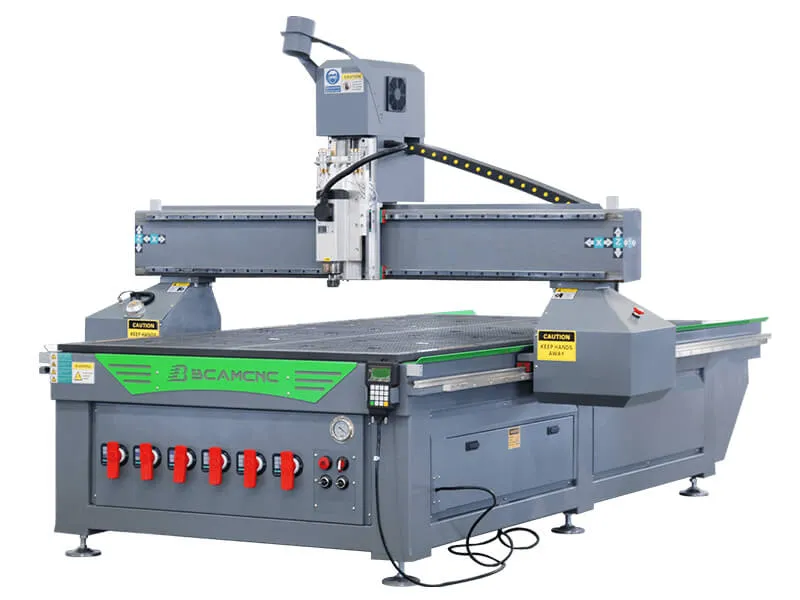
$7,200.00 Original price was: $7,200.00.$4,037.00Current price is: $4,037.00.
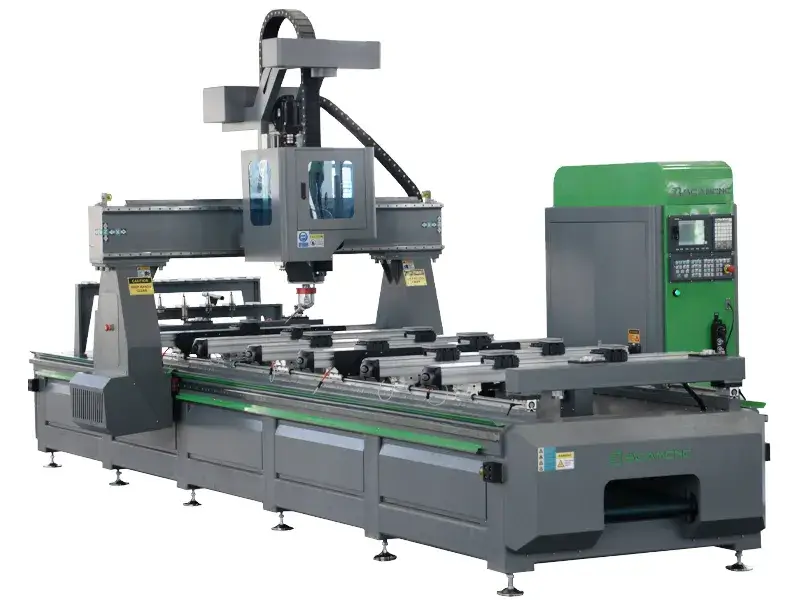
$45,000.00 Original price was: $45,000.00.$41,200.00Current price is: $41,200.00.
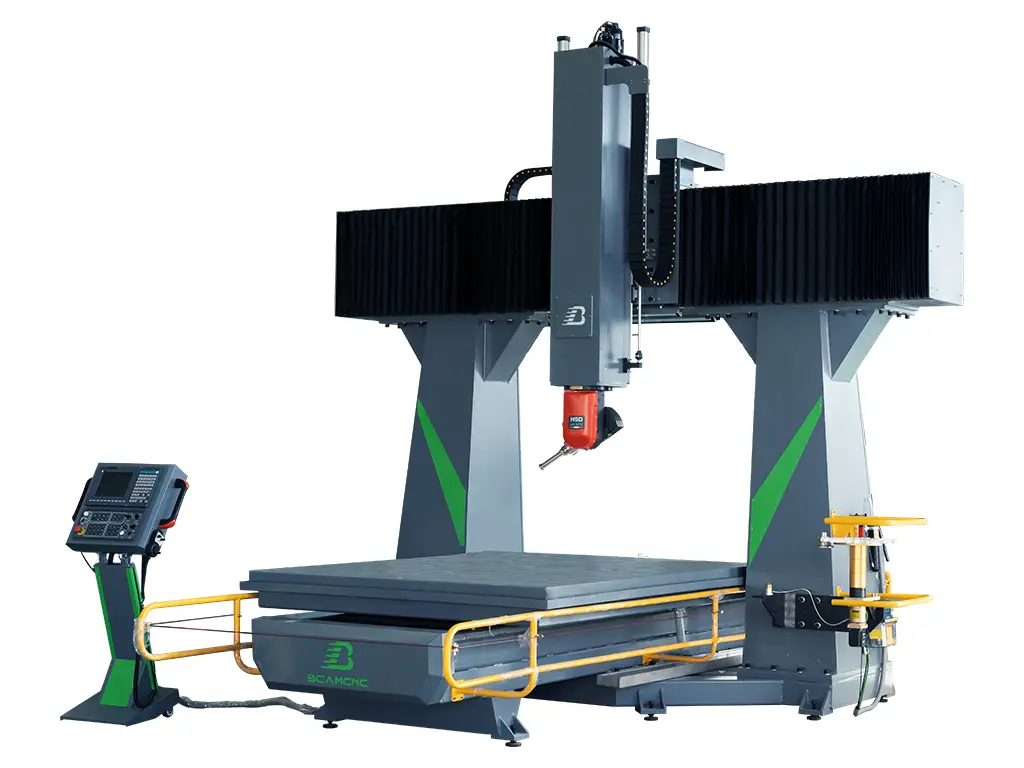
$92,100.00 Original price was: $92,100.00.$89,000.00Current price is: $89,000.00.
Whether you are starting a workshop, upgrading to industrial automation, or exploring new creative projects, choosing the right CNC router table is easier than ever. BCAMCNC offers a full range of automatic CNC router tables in popular sizes and customizable sizes for specialized needs.
BCAMCNC provides professional CNC routers for woodworking, metal fabrication, stone carving, foam cutting, and multi-material projects. From compact 3 axis routers to rotary 4th axis, 4 axis with 180 degree swing, and 5 axis 3D shaping machines, we deliver high precision, efficiency, and durability for small businesses, and industrial manufacturing.
Explore our top picks to find budget-friendly options or high-performance industrial machines. Whether you are a beginner or an experienced machinist, BCAMCNC helps you select the perfect CNC router to match your production needs, material requirements, and business goals—saving time, money, and effort while enhancing your manufacturing capabilities.
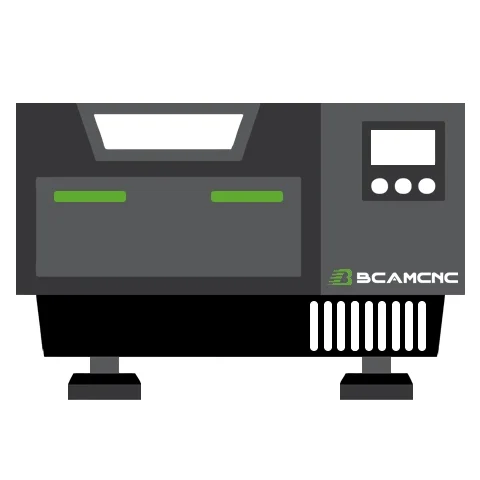
In modern industrial manufacturing, precision, efficiency, and reliability are critical to maximizing productivity and minimizing downtime. Whether you run a woodworking workshop, a furniture factory, a metal fabrication business, or a stone processing facility, choosing the right CNC router machine from BCAMCNC can streamline your operations and elevate the quality of your products. BCAMCNC provides a wide selection of industrial-grade CNC routers that can work with wood, plastics, foam, soft metals, and stone, offering scalable solutions for small workshops, large factories, and specialized production facilities. Our Stone CNC Machines are specifically engineered for marble, granite, bluestone, and artificial stone, capable of high-precision cutting, machining, and 3D sculpting for countertops, monuments, decorative panels, and architectural stone projects.
With well-organized categories and detailed product specifications, BCAMCNC ensures that businesses can find the perfect CNC router tailored to their material, production volume, and operational complexity. Our routers integrate high-performance mechanical components, advanced controllers, and versatile spindle systems to deliver accurate, repeatable results on both 2D and 3D projects. Stone CNC Machines are equipped with robust gantries, high-power water-cooled spindles, and optional rotary axes to handle hard and heavy stone materials efficiently while maintaining precise surface finishes.
The CNC router market is crowded with options, but BCAMCNC stands out as a reliable partner for industrial manufacturing. We combine research & development, design, manufacturing, sales, and 24/7 global customer support to provide a complete solution from consultation to post-sale service. BCAMCNC routers are designed for long-term durability, high-speed operation, and precision cutting across a wide range of materials. Stone CNC Machines are built with reinforced frames and high-torque spindles to handle the stress of hard stone cutting & machining while ensuring safety and consistency in production.
Customers can customize table sizes, axis configurations, spindle types, and optional accessories to match their production needs. Our products cover everything from compact 2×2 feet desktop routers for prototyping and small-scale projects to full-sized 6×12 feet industrial routers with multiple axes, ATC (automatic tool changer), and vacuum tables for heavy-duty production. Stone CNC Machines also offer large-format tables, multi-axis capability, and water-cooling systems to enable industrial-scale stone processing with minimal downtime.
CNC Router Machine: An automated cutting tool driven by a professional computer numerical control (CNC) system. The X, Y, and Z axes are controlled via CAM software and G-code instructions to accurately cut, carve, mill, and shape materials such as wood, aluminum, copper, plastics, acrylic, foam, stone, and composites. BCAMCNC routers also support rotary 4th axis and 5 axis machining for complex 3D designs. Stone CNC Machines specialize in marble, granite, and artificial stone, offering precise 2D and 3D machining, countertop fabrication, monument sculpting, and architectural stone shaping.
CNC Router Table: A workbench system consisting of a complete mechanical frame, spindle, gantry, ball screw, guide rails, motors, drivers, and optional T-slot or vacuum tables. The table allows precise workpiece placement for repeatable results in industrial or commercial production. Stone CNC tables are reinforced and often equipped with water cooling and partitioned vacuum systems to secure heavy stone slabs safely during machining.
CNC Router Kit: A set of components for building a computer-controlled router machine, including controller, software, frame, spindle, gantry, motors, power supply, collet, limit switches, vacuum pump, and accessories. Kits are popular for workshops, prototyping, and small-scale manufacturing, allowing flexible customization according to material and project needs. Stone CNC kits are designed to accommodate high-torque spindles and durable frames to process natural and engineered stone with precision, enabling small businesses or educational facilities to enter stone fabrication without investing in full industrial machines.
| Brand | BCAMCNC |
|---|---|
| Table Sizes | 2′ x 2′, 2′ x 3′, 2′ x 4′, 4′ x 4′, 4′ x 6′, 4′ x 8′, 5′ x 10′, 6′ x 12′, 7′ × 16′, 7′ × 20′ |
| Axis | 3 Axis, 4th Axis (Rotary Axis), 4 Axis, 5 Axis |
| Capability | 2D Machining, 2.5D Machining, 3D Machining |
| Materials | Wood, Stone, Foam, Metal, Aluminium, Copper, Brass, Plastic, Acrylic |
| Types | Hobby CNC Router Kits for Home Use, Industrial CNC Router Machines for Commercial Use, Stone CNC Machines for Marble, Granite, and Artificial Stone |
| Software | ArtCAM, Type3, Cabinet Vision, CorelDraw, UG, Solidworks, MeshCAM, AlphaCAM, UcanCAM, MasterCAM, CASmate, PowerMILL, Fusion360, Aspire, AutoCAD, Autodesk Inventor, Alibre, Rhinoceros 3D |
| Controller | DSP, Ncstudio, Mach3, Mach4, OSAI, Siemens, Syntec, LNC, FANUC |
| Price Range | $4,000 – $300,000 |
| OEM Service | X, Y, Z Axis Working Area Customization |
| Optional Parts | Dust Collector, Vacuum Pump, Rotary Device, Mist-Cooling System, Servo Motors, Colombo Spindle, Water Cooling System for Stone Cutting & Engraving |
When it comes to growing your business or showcasing your creativity, choosing the right CNC machine is essential. The right machine ensures precision, efficiency, and reliability for the material and project you want to work on. Automatic computer-controlled router machines are generally categorized based on axes, material type, table size, and application. Here are the popular types and models offered by BCAMCNC:
Home Kits
Mini types, small types, portable types, desktop types, benchtop types, and tabletop types — ideal for hobbyists, prototyping, and small workshops.
Industrial Kits
Wood routers, stone CNC machines, foam cutters, and aluminum milling machines — designed for medium to large-scale industrial production.
Axis Types
3 axis, 4th axis (rotary axis), 4 axis, 5 axis, and multi axis — covering simple 2D/2.5D machining to complex 3D sculpting and full-surface cutting.
Table Kits
The most popular CNC router and Stone CNC tables come in:
• Feet: 2×2, 2×3, 2×4, 4×4, 4×6, 4×8, 5×10, 6×12
• Inches: 16×16, 16×24, 24×24, 24×36, 24×48, 48×48, 48×96, 60×120, 80×120, 80×160
• Millimeters (mm): 4040, 6040, 6060, 6090, 1212, 1313,1325, 1530, 2030, 2040
Custom table sizes are also available for specialized business requirements, ensuring maximum flexibility for woodworking, stone cutting & engraving, metal milling, foam cutting, or acrylic processing.
Pick Your Perfect CNC Router Table
Choosing the right CNC router table is essential for efficient production, precision, and versatility. Small workshops and prototyping studios often select compact tables such as 2×3 or 2×4 feet (or 600×900 mm / 600×1200 mm), which are perfect for desktop and benchtop use. For small-scale commercial projects or medium production, a 4×4 feet (1200×1200 mm) table is popular, providing a balance between work area and machining capability.
The 4×8 feet (1300×2500 mm) table, including the versatile 1325 model, forms the upper end of standard full-size CNC tables, suitable for small business owners and industrial manufacturers. For special applications, large-format CNC router tables can be customized in sizes such as 5×10 feet (1500×3000 mm), 6×12 feet (2000×4000 mm), or even larger, offering maximum machining area for heavy-duty and industrial production.
Table Size Reference
| Inches | Feet | Millimeters |
|---|---|---|
| 24″ x 24″ | 2′ x 2′ | 600 x 600 |
| 24″ x 36″ | 2′ x 3′ | 600 x 900 |
| 24″ x 48″ | 2′ x 4′ | 600 x 1200 |
| 48″ x 48″ | 4′ x 4′ | 1200 x 1200 |
| 48″ x 72″ | 4′ x 6′ | 1200 x 1800 |
| 48″ x 96″ | 4′ x 8′ | 1300 x 2500 |
| 60″ x 120″ | 5′ x 10′ | 1500 x 3000 |
| 72″ x 144″ | 6′ x 12′ | 2000 x 4000 |
| 83″ × 197″ | 7′ × 16′ | 2100x 5000 |
| 83″ × 236″ | 7′ × 20′ | 2100x 6000 |
CNC router machines operate with at least three axes—X, Y, and Z—to perform automated cutting, machining, milling, and shaping of materials. The X-axis is horizontal, the Y-axis is vertical, and the Z-axis controls the up-and-down movement. A computer controller reads G-code or other machine language instructions to guide the spindle, which holds the cutting tool, along the designated tool path.
In a standard 3 axis machine, the tool moves along X, Y, and Z, and remains vertical, making undercuts impossible. Some 3 axis machines can be equipped with a rotary 4th axis, which enables cylinder machining and 3D projects. True 4 axis routers allow simultaneous movement of X-Y-Z-A, X-Y-Z-B, or X-Y-Z-C axes, while 5 axis machines add two more axes for complex multi-surface machining. The spindle can rotate and tilt to reach different angles, allowing for faster project completion and intricate 3D designs.
Stone CNC machines work on the same principle but are optimized for hard materials like granite, marble, and engineered stone. They typically feature reinforced frames, high-torque spindles, and vacuum tables to ensure precision cutting and minimal vibration.
Operators first design parts using CAD (Computer-Aided Design) software and generate tool paths in CAM (Computer-Aided Manufacturing) software. The CNC machine then executes these instructions, precisely cutting the material.
Applied Industries
CNC routers are widely used in woodworking, stone fabrication, furniture manufacturing, cabinetry, signage, model making, joinery, orthotic production, prosthetics, educational training, aerospace, packaging, metalworking, musical instruments, and small business workshops. Stone CNC machines are essential in countertop production, tombstone carving, architectural stone elements, and decorative stone panels.
Applicable Materials
CNC routers and stone CNC machines can handle a wide variety of materials:
• Wood: Solid wood (oak, maple, cherry, walnut, mahogany), softwood (pine, cedar, fir), composite wood (MDF, plywood, particle board).
• Stone: Granite, marble, bluestone, sandstone, ceramic tiles, artificial stone, jade.
• Plastics: ABS, PVC, PET, polycarbonate, acrylic, polypropylene, HDPE.
• Metals: Aluminum, copper, brass, mild steel, stainless steel, honeycomb aluminum.
• Foam: Polyurethane, polystyrene, EVA, sign foam, precision foam boards.
• Other Materials: Solid surface materials, laminates, PCB, composites, fiberglass, rubber, modeling clay.
Applications
• Wood & Stone: Furniture, cabinetry, decorative panels, tombstones, countertops, moldings.
• Metal & Plastics: Prototyping, signage, industrial components, enclosures, machining of soft metals.
• Foam & Composites: Packaging, foam models, insulation, prototypes, props.
• Artistic & Educational: Sculptures, nameplates, school projects, hobbyists’ designs.
• Stone CNC machines, in particular, are widely used for heavy-duty carving, shaping, engraving, and 3D stone designs, supporting both industrial production and artisan crafts.
Thinking about upgrading from a handheld router to an automatic CNC router machine? It’s a smart investment, but prices vary significantly depending on machine type, size, and features. From DIY kits for hobbyists to large-scale industrial CNC routers, here’s what you can expect.
Price Ranges
• Entry-Level CNC Routers: $2,380 – $5,080, usually with a small working table, perfect for beginners and small workshops.
• Full-Size CNC Routers: Larger workbenches (e.g., 4×8 feet) start from $6,780 and are widely used by small businesses.
• Professional CNC Routers: $3,280 – $18,000, offering better speed, accuracy, and durability, commonly for commercial use.
• Industrial CNC Routers: $16,000 – $150,000, equipped with automatic tool changers, rotary axis, feeders, and multi-axis capabilities, ideal for high-volume industrial manufacturing.
• Stone CNC Machines: From $2,800 for small tombstone cutting machines to $33,800+ for large-format granite/marble cutting machines with water-cooled spindles and reinforced frames.
Other Cost Factors
• Machine size & table format: Larger tables (4×8, 5×10, 6×12) increase cost.
• Features & accessories: ATC spindle, vacuum table, rotary axis, dust collector, or nesting functions.
• Brand & service: Different suppliers offer varying warranty, after-sales service, and support.
• Logistics & taxes: International shipping, customs clearance, and local VAT may affect the final landed cost.
Pick Up Your Best Budget
| Types | Minimum Price | Maximum Price | Average Price |
|---|---|---|---|
| Wood CNC Router | $2,580 | $38,000 | $5,670 |
| Metal CNC Router | $5,000 | $23,800 | $7,210 |
| Foam CNC Router | $6,780 | $180,000 | $11,280 |
| Stone CNC Machine | $2,800 | $33,800 | $6,510 |
| Nesting CNC Router | $9,000 | $56,000 | $15,230 |
| 3 Axis CNC Router | $2,380 | $22,800 | $5,280 |
| 4th Rotary Axis CNC Router | $2,580 | $25,980 | $6,160 |
| 4 Axis CNC Router | $22,800 | $37,800 | $26,120 |
| 5 Axis CNC Router | $80,000 | $150,000 | $101,200 |
A computer-programmed CNC router is built from a combination of mechanical hardware, electrical components, and software systems. Each part plays a vital role in ensuring performance, precision, and stability. Below are the essential parts and accessories that make up a CNC router kit.
Core Components
• Machine Bed Frame – Provides the foundation of the CNC router. For long-term, high-power machining, a cast-iron or heavy-duty welded steel frame ensures stability and precision.
• X, Y, and Z Table – Available as T-slot tables (manual fixturing) or vacuum tables (automatic suction clamping). Vacuum tables are preferred for large sheet processing due to higher efficiency.
• Spindle Motor – The heart of the CNC router, used for high-speed cutting, machining, drilling, and milling. Spindles can be air-cooled or water-cooled depending on material hardness, viscosity, and cutting needs. Choosing the right spindle speed and power directly affects tool life and machining quality.
• Gantry – Connects the spindle with the drive system and enables precise multi-axis movement.
• Ball Screw & Guide Rails – High-quality ball screws and linear guide rails ensure long-term machining accuracy and smooth motion control.
• Rack & Pinion – Used on larger CNC routers for stable transmission and high-speed movement.
• Motors & Drivers – Stepper or servo motors combined with high-performance drivers deliver precise axis control and positioning.
• Rotary 4th Axis – Optional accessory for cylinder machining, round columns, furniture legs, statues, and 3D rotary machining.
• Vacuum Pump – Powers the vacuum adsorption table, providing strong suction to hold large panels securely.
CNC Controller Systems
The CNC controller is essentially the “brain” of the router. It interprets G-code instructions and drives the motors and spindle. Different types include:
• DSP Controller – Easy to use, standalone handheld controller.
• Mach3 / Mach4 – PC-based software controllers widely used in small shops.
• Ncstudio – PC-based system with professional stability.
• Syntec / OSAI / LNC – High-end industrial-grade controllers with advanced motion algorithms.
Controllers can be PC-based, embedded, or PLC-driven, and choosing the right one depends on production scale and customization needs.
Table Kits
• T-Slot Table – Aluminum profile workbench, requires manual clamping with rivets or fixtures. Cost-effective but time-consuming.
• Vacuum Adsorption Table – Uses partitions (commonly 6 or 8 zones)
with a vacuum pump to automatically fix panels. Offers higher efficiency and stronger hold, especially for woodworking panels, stone slabs, and composite sheets.
Software
CNC routers rely on CAD/CAM software to generate tool paths. Operators first design shapes with CAD, then create machining instructions with CAM. Commonly used software includes:
• ArtCAM / Aspire / Type3 – Widely used in woodworking and artistic sculpting.
• AutoCAD / SolidWorks / Fusion 360 / UG / PowerMILL – Professional design and manufacturing solutions for industrial applications.
• Cabinet Vision / CorelDraw – Specialized software for cabinetry and 2D graphic design.
Software options include free, cracked, or licensed versions, but for stability and long-term use, professional licensed software is strongly recommended.
For many first-time users, CNC routers may seem complex and intimidating. In reality, with proper training and practice, operating a CNC router is straightforward and beginner-friendly. Below is a simplified 5-step CNC router operation guide to help you get started.
Step 1. Power On and Machine Preparation
• Switch on the computer, monitor, and CNC control software.
• Turn on the machine’s main power.
• Activate the spindle cooling system (water pump or air cooling) and ensure proper circulation.
• If it’s the first start of the day, press the lubrication pump to inject oil into guide rails and moving parts.
• Perform a “machine origin return” (homing) to avoid collisions.
• Manually jog each axis to check smooth travel across its full stroke.
Step 2. Workpiece Setup and Clamping
• Place a sacrificial board (spoilboard) on the worktable to protect the surface.
• Position the workpiece securely on top of the board.
• Use clamps, T-slot fixtures, or vacuum table (if available) to fix the material.
• Double-check stability—loose workpieces may cause vibration or tool breakage.
• Set the workpiece origin:
Move the spindle close to the edge of the workpiece.
Slowly lower the tool until it just touches the surface.
Zero the coordinates (X, Y, Z) in the control software.
Step 3. Tool Installation and Changing
• Ensure spindle power is off before changing tools.
• Move spindle to a convenient position and place a soft pad underneath in case the tool drops.
• Use the correct wrenches to loosen the collet nut and remove the current tool.
• Clean the collet and chuck to remove dust or chips.
• Insert the new router bit (not fully to the end, leave ~2mm gap) and hand-tighten the nut.
• Use two wrenches to firmly tighten, but avoid excessive force.
• Reset the Z-axis origin after tool change.
Step 4. CNC Programming and Cutting
• Confirm the following before machining:
Tool is firmly clamped.
Workpiece is securely fixed.
Correct NC program (G-code) is loaded.
Workpiece origin is properly set.
• Start the program at a reduced feed rate (30–50%) for safety.
• Monitor the operation closely; once stable, increase feed rate to normal.
• Always supervise the cutting process—never leave the machine unattended.
Step 5. Power Off and Shutdown
• Return the machine to its home position.
• Remove the tool if necessary, leaving the collet nut on the spindle.
• Switch off the machine power.
• Shut down the computer and software.
With these steps, even beginners can safely operate a CNC router. Regular maintenance, correct tool selection, and proper clamping are the keys to smooth machining and long equipment life.
Even high-precision CNC routers may encounter issues during use. Below are some common problems and step-by-step solutions to help you get your machine back to normal operation.
1. Alarm & Overtravel Errors
• Symptom: Machine stops with an over-travel alarm.
• Possible Causes & Solutions:
The programmed graphic size exceeds the machine’s working range → Adjust design size or toolpath.
Loose connection between motor shaft and leadscrew → Tighten couplings and screws.
Poor grounding of machine or computer → Ensure proper earthing.
Coordinate values exceed software limits → Reset X, Y, Z soft limits in the control software.
• Tip: When releasing overtravel, jog the axis away from the limit switch until normal operation resumes.
2. Positioning & Accuracy Issues
• Symptom: Machined parts show low repeatability or inaccurate dimensions.
• Solutions:
Check if screws, couplings, or belts are loose → Retighten.
Inspect linear guide rails and ball screws for wear → Clean, lubricate, or replace if needed.
Confirm that the toolpath program is correct and matches the material thickness.
3. Machine Not Responding
• Symptom: Computer runs but the CNC router does not move.
• Solutions:
Check the connection between control card and electrical box → Replug and tighten.
Inspect cables for damage or looseness.
If the machine cannot find the origin → Check the limit/proximity switches and replace if faulty.
4. Output & File Errors
• Symptom: No machining output or program errors.
• Solutions:
Verify computer–control box connection.
Clear space in the routing manager or CNC software → Delete unused files.
Ensure G-code or NC program is not corrupted.
Check all signal cables for secure connections.
5. Cutting & Routing Failures
• Symptom: Poor surface finish, vibration, or incomplete routing.
• Solutions:
Confirm toolpath settings are correct.
Check router bits for wear or breakage → Replace if damaged.
Adjust spindle speed (typically 8,000–24,000 RPM) to match material.
Make sure tool is clamped upright and securely in the collet.
Verify workpiece is fixed firmly using clamps or vacuum table.
For very large files → Optimize or split toolpaths.
Proper daily maintenance is the key to keeping your CNC router running smoothly, reducing downtime, and extending service life. Follow these care guidelines for reliable long-term performance.
1. Spindle (Core Component)
• Lubrication: Ensure stable lubrication (oil-air or grease). Always use filtered oil, and clean filters regularly.
• Cooling:
Water-cooled spindle → Check coolant level frequently, refill when needed.
Air-cooled spindle → Maintain the fan/air system to avoid overheating.
• Operation: Never exceed rated power or speed. Overloading shortens spindle life. Always follow the spindle manual before use.
2. CNC Controller Box
Clean internal dust regularly based on your environment.
Always power off and wait until inverter display and indicator lights are off before cleaning.
Excess dust may cause overheating, electrical faults, or signal errors.
3. Transmission Parts (Guide Rails, Racks, Ball Screws)
Clean dust and debris after each use.
Lubrication:
Automatic lubrication → Verify oil supply is reaching rails and screws.
Manual lubrication → Apply oil every 3–5 days.
Use engine oil for guide rails and racks, and grease for ball screws.
In cold climates, clean rods with gasoline before applying oil to avoid excessive resistance.
4. Motor & Drive System
CNC routers may use stepper, hybrid servo, or pure servo motors.
If unusual noise occurs:
Stop the machine immediately.
Manually move axes to locate the source.
Contact maintenance personnel or manufacturer for repair/replacement.
When investing in a CNC router machine, there are a few key factors to keep in mind to ensure you choose the right equipment for your business.
• Learning Curve
Entry-level CNC routers are beginner-friendly, and most users can create simple projects within a few days of training. However, mastering advanced CNC machining—such as multi-axis operations, toolpath optimization, or handling complex materials—requires years of practice. With step-by-step learning and continuous operation, you can grow into a skilled CNC machinist or operator.
• Pricing & Investment
With transparent software and hardware costs, CNC router pricing has become more straightforward. Buying directly from trusted CNC manufacturers instead of resellers allows you to save costs while ensuring better support and warranty. Always compare specifications, features, and after-sales service before making a purchase decision.
• Profit Opportunities
A CNC router is not just a machine—it’s a business opportunity. Many companies and workshops profit from CNC machining services, custom furniture production, cabinetry, signage, home decoration, prototyping, and even online training courses. With the right machine and business model, CNC routers can deliver high returns on investment.

Tellus gravida ipsum aut facilisis tempus at et aliquam estsem.

Non pulvinar aenean ultrices lectus vitae imperdiet vulputate a eu.

Aliquet ullamcorper leo mi vel sit pretium euismod eget libero.

Nullam iaculis vestibulum arcu id urnain pellentesque volutpat quis.
Subscribe and grab 20% OFF!




© 2025 Jinan Bcamcnc Machinery Co., Ltd. (BCAMCNC)